


Legal Process (July – August) Objective: Obtain the right to enter the UK
- Issuance of CAS: The University validates the documents and issues the electronic Confirmation of Acceptance for Studies code.
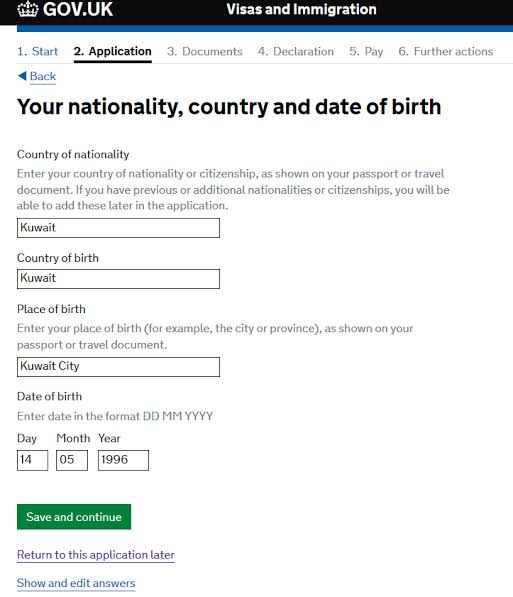
- Visa Application: Complete the form on GOV.UK using the CAS code.
- Medical Fee (IHS): Payment of insurance for full access to the public health system (NHS).
- Biometrics: Appointment at the visa center in the home country.
This is the most technical, expensive and stressful stage for students. If a mistake is made here, the entire application can be rejected.
Here is a detailed radiograph of this legal block, explained step by step:
1. Issuance of CAS (Confirmation of Acceptance for Studies)
The CAS is not a physical document, but a unique virtual reference number generated by the university in the British Home Office system.
- Validity: A CAS code is valid for a maximum of 6 months from the date of issuance. The student cannot apply for a visa more than 6 months before the start of the course.
- Data verification: Before submitting the visa, the student must verify that the name, date of birth and the amounts entered in the CAS (total tuition fee and advance payment already paid) coincide to the comma with those in the passport and receipts. Any mismatch brings an instant refusal.
2. Visa Fee and Health Surcharge (IHS) – The Financial Shock
Payment is made online, in full, when submitting the application on the government portal. There are two distinct fees:
- Standard Visa Fee: Costs £558 (for applications submitted from outside the UK).
- Immigration Health Surcharge (IHS): This is the compulsory health insurance that entitles students to use hospitals and doctors for free. The cost is £776 per year.
- Rounding trap: The IHS fee is paid in advance for the entire duration of the visa, not just for the duration of the courses. For example, for a 1-year Master, the visa is issued for approximately 16 months (the course + a buffer period granted by the government). The system automatically rounds the fee, so the student will pay IHS for 2 full years (£1,552).
3. GOV.UK Application and Document Upload
The process is digitalised. After completing the forms and paying the fees, the student is redirected to the official partner portal (usually VFS Global or TLScontact, depending on the country).
- Digital option (ID Check App): EU/EEA citizens holding biometric passports can often use the “UK Immigration: ID Check” mobile app. This scans their passport chip and takes an ID photo directly on their phone, eliminating the need to physically go to a visa application centre.
- Online document upload: If the mobile app is not used, all supporting documents (bank statement for proof of funds, CAS, diplomas required in CAS) must be scanned and uploaded to the VFS/TLS portal before the day of the physical appointment.
4. Biometric Appointment (Visa Application Centre)
If the student has to physically go to a Visa Application Centre (VAC), here is the reality of the day:
- What happens there?: It is not a job interview. It is a strict administrative security procedure. A digital scan of the 10 fingerprints (inkless, electronic) is performed and a high-resolution digital photograph is taken for the border database.
- What they MUST have with them:
1. Original valid passport (must have at least 2 blank pages).
2. Printed Appointment Confirmation letter.
3. Checklist sheet generated by GOV.UK at the end of the application.
Things to consider:
- Extra Services (Marketing Traps): Visa agencies offer additional services for a fee (Document Scanning, SMS Updates, Premium Lounge). If the student has already uploaded the documents correctly from home, these services are completely useless. The only service worth paying for in an emergency is the Priority Visa Service (approximately £500 extra), which reduces the decision time from 3 weeks to just 5 working days.
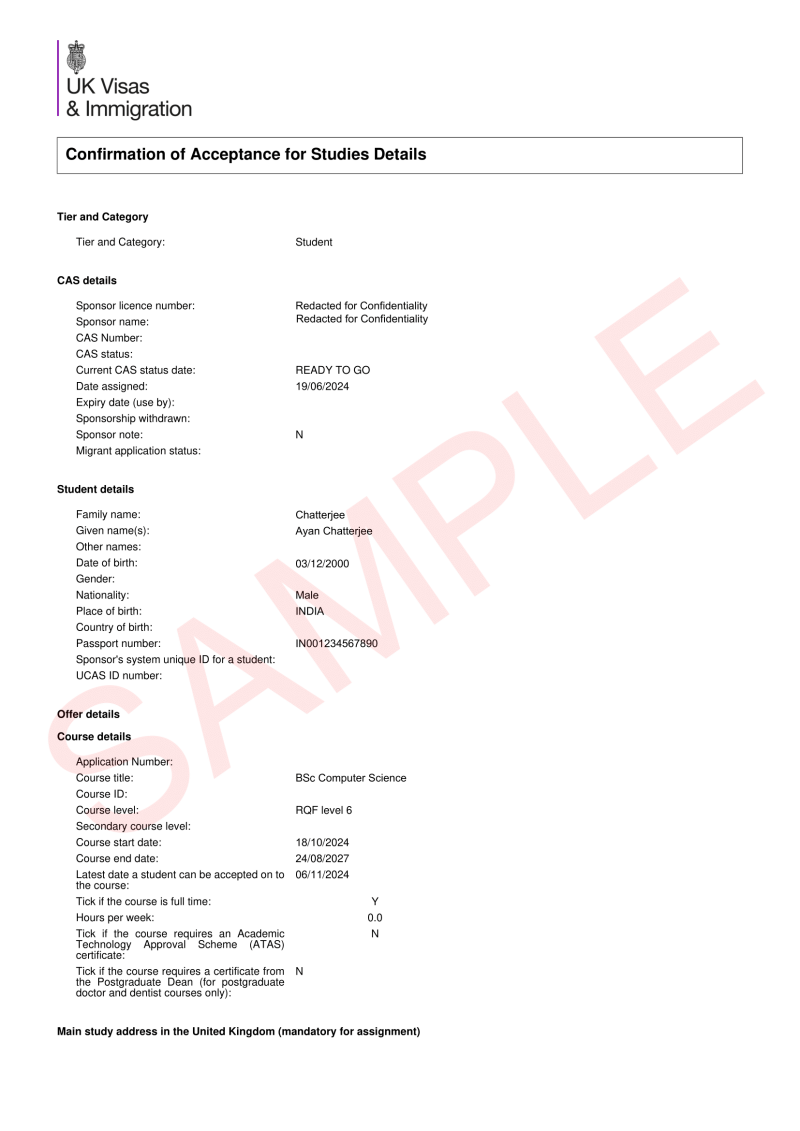
- Visa Application: Complete the form on GOV.UK, using the CAS code.
- Medical Fee (IHS): Payment of insurance for full access to the public health system ([NHS](https://www.nhs.uk/)).

Biometrics: Appointment at the visa center in the home country.
To make a Biometrics Appointment, the student cannot go directly to an external website, but must go through a mandatory controlled digital flow.
You cannot book a place at the visa center in your home country without first completing and paying for the government application.
Home Page (Government Portal)
It all starts on the official British government portal:
* The official home page of the application: Student visa on GOV.UK.
Here the student creates an account, fills in the form with the CAS data, pays the visa fee and the IHS medical fee.
Automatic Redirection to Official Partners
As soon as the payment is successfully processed on GOV.UK, the system generates a unique link and automatically redirects the student to the website of the official partner that manages the visa centers in their country.
1. VFS Global: Manages visa centers in most countries in Central Europe and Asia. Their official information page is [Apply for a UK Visa - VFS Global](https://www.vfsglobal.com/united-kingdom).
2. TLScontact: Manages visa centers in other specific regions in Europe and Africa. Their official page is [TLScontact UKVCAS](https://vcas.tlscontact.com/).
Note to agency: If the student accidentally closes the tab after payment, they can log back into their GOV.UK account and find a big green button called “Provide biometrics”, which will send them directly to the assigned platform (VFS or TLS) without having to enter their details from scratch.
1. VFS Global: Manages visa centers in most countries in Central Europe and Asia. Their official information page is [Apply for a UK Visa - VFS Global](https://www.vfsglobal.com/united-kingdom).

2. TLScontact: Manages visa centers in other specific regions in Europe and Africa. Their official page is [TLScontact UKVCAS](https://vcas.tlscontact.com/).
